🐳 Docker vs ContainerD
This article explores the relationship between Docker and ContainerD, detailing their differences and the CLI tools for interacting with container runtimes.
🔄 The Evolution of Container Runtimes
At the dawn of the container era, Docker reigned supreme thanks to its intuitive interface. Even though alternative tools like Rocket existed, Kubernetes was initially designed to orchestrate Docker-based containers, creating a strong coupling between Docker and Kubernetes. However, as Kubernetes expanded its ecosystem, other container runtimes sought integration.
Kubernetes addressed this need by introducing the Container Runtime Interface (CRI).
The CRI standardizes container runtimes by ensuring compliance with the Open Container Initiative (OCI) standards — the image specification (for building images) and the runtime specification (for container execution).
This standardization paved the way for runtimes like Rocket and others to be supported by Kubernetes.
Since Docker was developed before CRI was established, it wasn't built with CRI compatibility in mind.
To allow Docker to function with Kubernetes, a temporary solution known as the Docker Shim was implemented. Over time, native CRI-compatible runtimes such as ContainerD emerged, shifting Docker's primary role within the Kubernetes architecture.
ContainerD, a CRI-compatible runtime, integrates directly with Kubernetes — eliminating the need for the Docker Shim.
Originally bundled with Docker, ContainerD has evolved into a standalone project under the Cloud Native Computing Foundation.
This decoupling means you can install and use ContainerD without needing the entire Docker ecosystem if your goal is solely container runtime functionality.
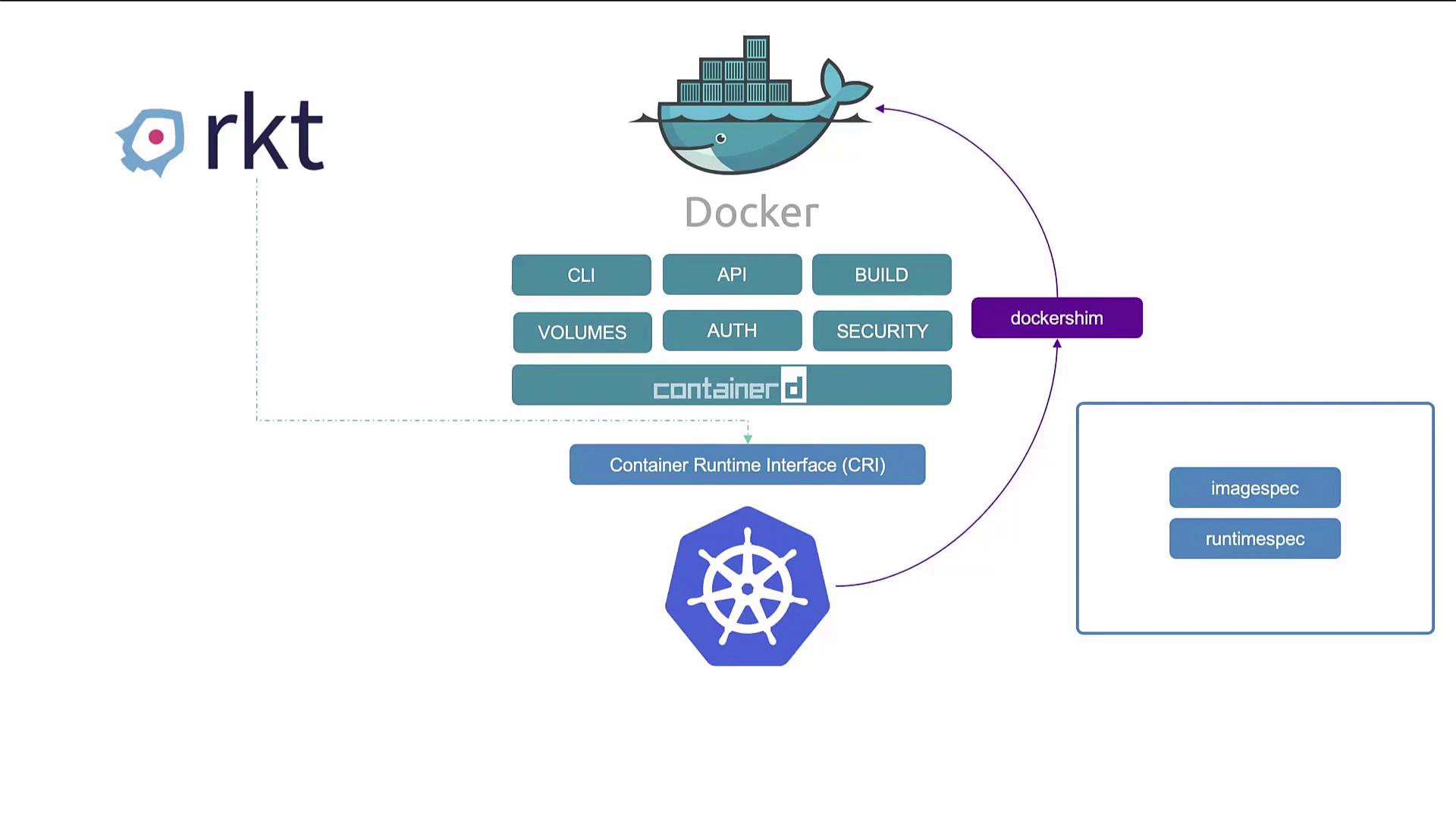
Within Docker, several components work together to provide its functionality:
- Docker CLI and API
- Image build tools
- Support for volumes, authentication, and security
- The container runtime (
runc) managed by containerd
Since ContainerD is CRI-compatible, it works directly with Kubernetes, which eventually led to Kubernetes version 1.24 removing support for Docker as a runtime due to the complexity of maintaining the Docker Shim. However, Docker images remain fully OCI-compliant and continue to work seamlessly with ContainerD.
🔍 Diving Deeper into ContainerD
ContainerD began as an internal component of Docker but is now maintained as an independent project. If you do not require Docker's additional features, you can install ContainerD on its own. Traditionally, Docker users ran containers using commands like docker run, but ContainerD introduces different CLI tools.
ContainerD Installation
▶ Watch Installation Steps — Containerd
Using CTR
Once installed, ctr can pull images and execute basic container operations. However, due to its debugging focus and limited functionality, CTR is not recommended for day-to-day container management.
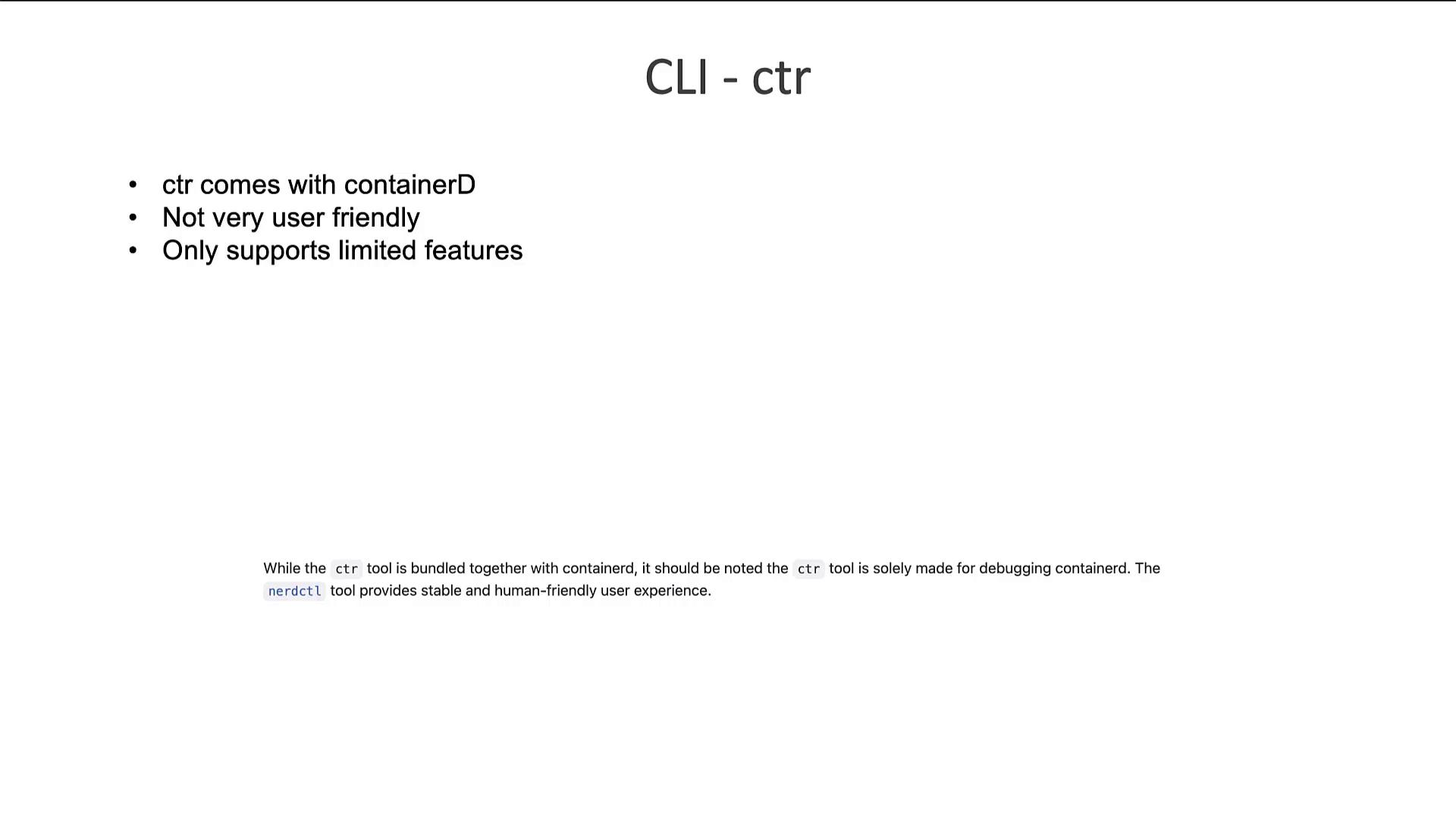
For example, to pull and run a Redis image using CTR:
NerdCTL: A Docker-like CLI for ContainerD
NerdCTL offers a CLI experience similar to Docker's while providing additional features unique to ContainerD. Key features include:
- 🔒 Encrypted container images
- ⚡ Lazy pulling of images
- 🌐 Peer-to-peer image distribution
- ✅ Image signing and verification in Kubernetes namespaces
By transitioning from Docker commands to NerdCTL, you maintain familiar syntax. For example, you can replace these Docker commands:
with the equivalent nerdctl commands:
CRI Tools: A Kubernetes Perspective
Another significant CLI utility is crictl, designed to interact with any CRI-compatible container runtime, including ContainerD, Rocket, and others. Unlike ctr and nerdctl — which are developed by the ContainerD community — crictl is maintained by the Kubernetes community and is primarily intended for debugging and inspection.
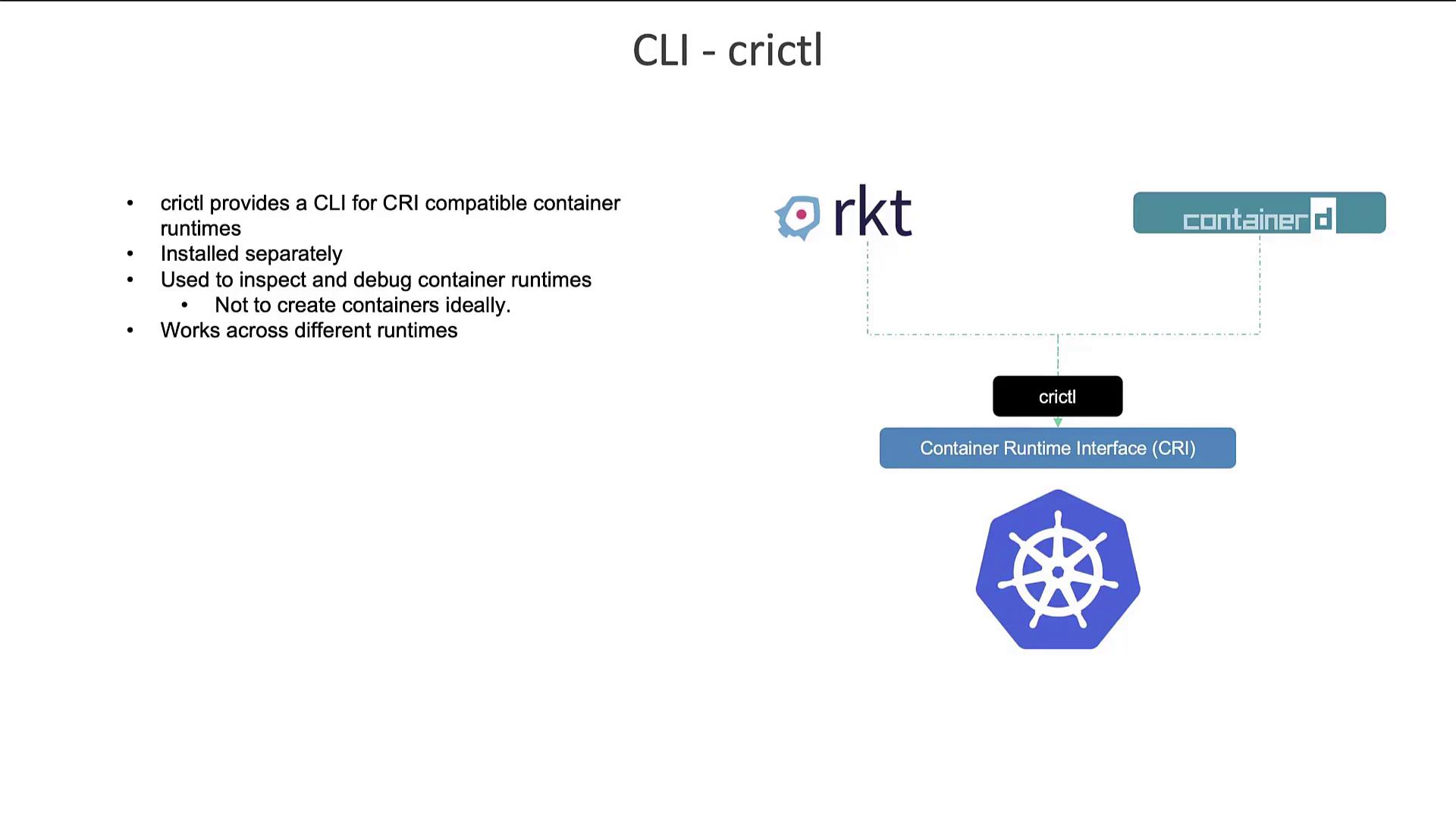
crictl is mainly used for tasks such as:
- Pulling container images
- Listing images and containers
- Inspecting logs and executing commands inside containers (using options like
-iand-t) - Listing pods (a functionality not provided by Docker commands)
For example, typical crictl usage might include:
⚙️ Changes in Kubernetes Runtime Endpoints
Earlier versions of Kubernetes had the kubelet connect to container runtime endpoints in the following default order:
unix:///var/run/dockershim.sock
unix:///run/containerd/containerd.sock
unix:///run/crio/crio.sock
unix:///var/run/cri-dockerd.sock
With Kubernetes 1.24, significant changes were introduced. The Docker socket was replaced with cri-dockerd.sock and the kubelet default endpoints were updated.
Users are now encouraged to manually set their runtime endpoint using:
📝 Summary
| Tool | Maintained By | Primary Use |
|---|---|---|
| ctr | ContainerD community | Debugging only |
| nerdctl | ContainerD community | General-purpose container management |
| crictl | Kubernetes community | CRI-compatible runtime debugging & inspection |
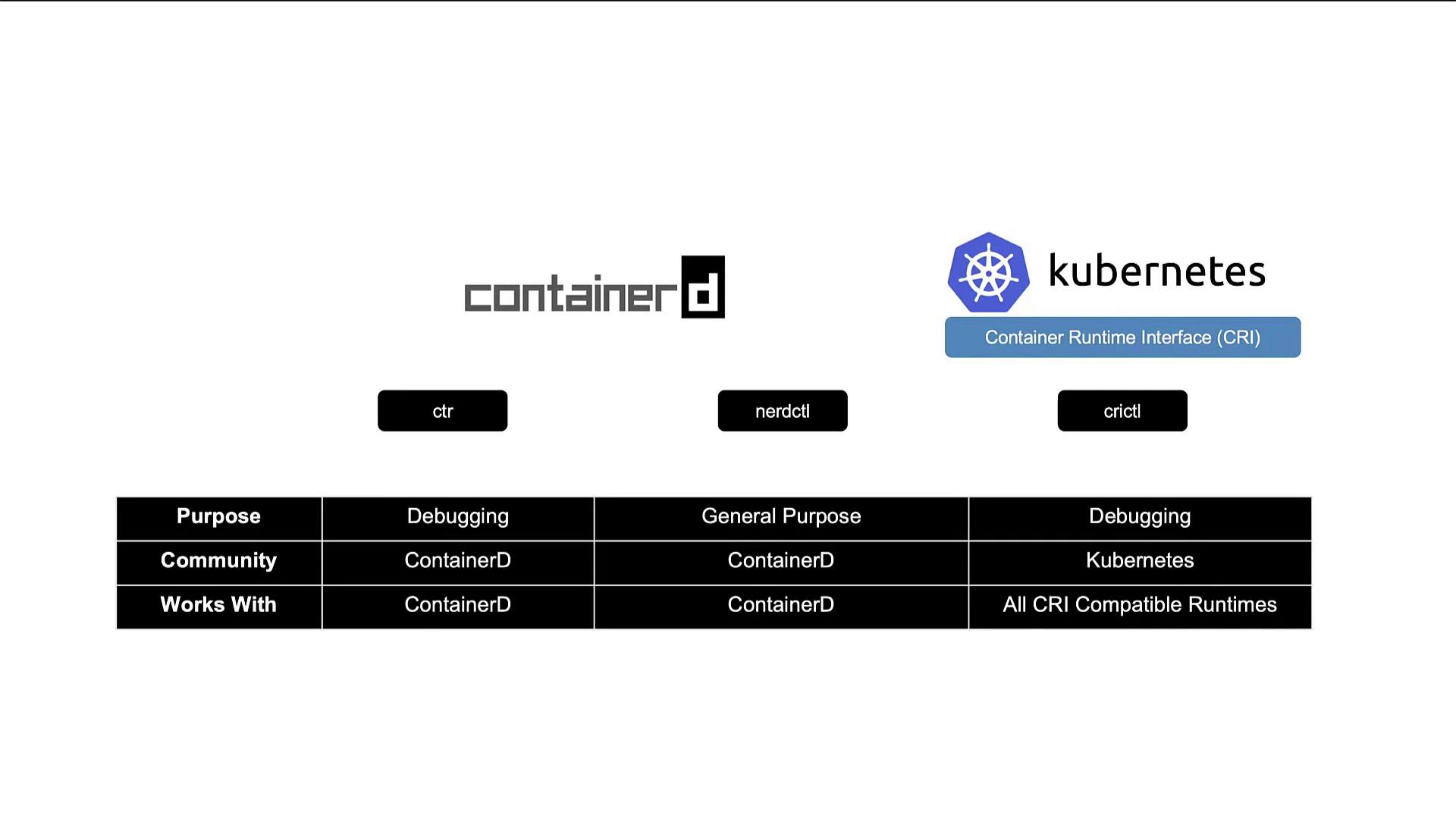
- The
ctrtool, bundled with ContainerD, is primarily used for debugging. - NerdCTL offers a Docker-like CLI for general-purpose container operations and advanced ContainerD features.
- crictl, maintained by the Kubernetes community, is designed for interacting with all CRI-compatible container runtimes and is mainly used for debugging and inspection.
Each tool serves a distinct role within the container ecosystem. While ctr and crictl focus on debugging, NerdCTL is the recommended tool for routine container management tasks, offering a familiar interface for users transitioning from Docker CLI commands.
Thank you for following along in this lesson on Docker versus ContainerD and the accompanying CLI tools. Enjoy exploring container runtimes and enhancing your container management workflows! 🚀